
Introduction
Losing a smartphone is more than just inconvenient—it can feel devastating. Your phone holds personal photos, contacts, financial apps, and sensitive data. Whether it’s misplaced at home or stolen in public, acting quickly is critical.
The good news is that both Android and iPhone devices offer multiple ways to track, secure, or even erase your phone remotely. In this guide, we’ll explore the most effective methods to locate your lost device, plus essential steps to protect your privacy.
Before You Start Tracking
Before diving into advanced tools, try these simple steps first:
- Call or Text Your Number: If nearby, you may hear it ring.
- Use Smart Speakers: Google Home or Alexa can ring your phone even if muted.
- Change Passwords Immediately: Protect accounts linked to your phone.
- Add Contact Info to Lock Screen: Helps someone return your device.
- Keep Battery Charged: Tracking only works if the phone is powered on.
How to Track a Lost Android Phone
1. Android Device Manager (Find My Device)
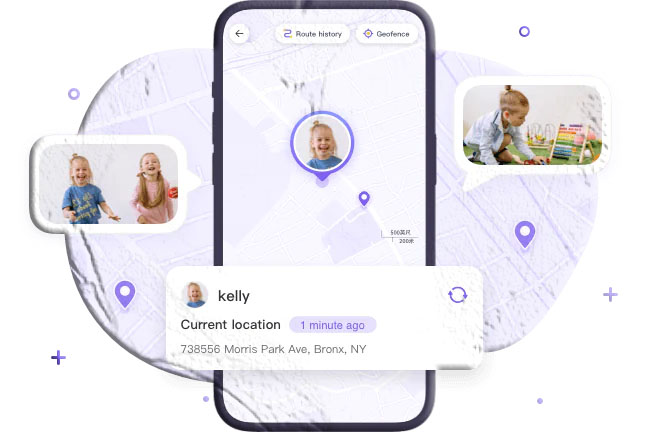
Google’s Find My Device is the fastest way to locate an Android phone.
- Visit google.com/android/find and sign in with your Google account.
- Options include:
- Ring your phone (even if silent).
- Lock with PIN or recovery message.
- Erase all data remotely.
- Note: If the phone is off, only the last known location is shown.
2. Samsung Find My Mobile
Samsung users have an extra advantage with Find My Mobile.
- Locate your phone on a map.
- Back up data remotely.
- Retrieve texts and call history.
- Extend battery life. 👉 Ensure it’s enabled in Settings → Biometrics & Security → Find My Mobile.
3. FreeSpy Lost Phone Locator
A third-party option for real-time tracking.
- Features:
- Live location tracking.
- Remote camera access.
- One-way audio monitoring.
- Low battery alerts.
- Requires installation and pairing before the phone is lost.
4. Wireless Carrier Services
Carriers like T-Mobile offer tracking services (e.g., FamilyWhere).
- Report your phone as missing via carrier website/app.
- Lock or erase device remotely.
- May require proof of ownership and fees.
5. Smart Speakers
If you know your phone is at home:
- Say “Okay Google, find my phone” to Google Home.
- Rings even if muted or on vibrate.
How to Track a Lost iPhone
1. Find My App (iPad or Mac)
Apple’s Find My App works across devices with the same Apple ID.
- Open Find My App → select device.
- View location on map.
- Works even if offline (last known location stored for 7 days).
2. iCloud Location Tracking
- Visit icloud.com/find and log in.
- Options:
- Play sound.
- Lock device with Lost Mode.
- Erase data remotely.
- Shows last known location if powered off.
3. Apple Watch
- Use Find Devices → Play Sound.
- Rings for 2 minutes, even if muted.
- Sends confirmation email to Apple ID.
4. Find My App on Another Device
- Open Find My App on another iPhone/iPad.
- Sign in with your Apple ID.
- Options: Play sound, activate Lost Mode, or erase data.
5. Google Maps Timeline
If location history is enabled:
- Visit Google Maps → Your Timeline.
- Shows last known location.
- Useful if Find My iPhone wasn’t enabled.
Protect Privacy If Your Phone Is Stolen
- Enable Lost Mode: Locks device and displays contact info.
- Change Passwords: Secure email, banking, and social accounts.
- Enable Two-Factor Authentication (2FA): Adds extra protection.
- Erase Data Remotely: Via Find My Device (Android) or iCloud (iPhone).
- Notify Carrier: Suspend SIM to block calls/data.
- File Police Report: Provide IMEI number for tracking and blocklisting.
Conclusion
Losing a phone is stressful, but modern tools make recovery possible. Whether you use Google’s Find My Device, Samsung’s Find My Mobile, Apple’s Find My App, or third-party solutions, acting quickly increases your chances of success. Even if recovery isn’t possible, remote locking and erasing protect your privacy.
FAQs About Tracking Lost Phones
- Is there a free way to find a lost phone? Yes. Google’s Find My Device (Android) and Apple’s Find My App (iPhone) are free.
- Can I track someone else’s lost phone? Only if you have their Google or Apple ID credentials.
- How to find an iPhone without Find My iPhone? Use Google Maps Timeline if location history was enabled.
- Can I track a phone that is turned off? Only the last known location is available if “Send Last Location” was enabled.
- Can I track an Android phone without an app? Yes. Use the Find My Device website with your Google account.
- How can I track a phone without internet? You can only see its last location. Otherwise, report it to police for IMEI tracking.