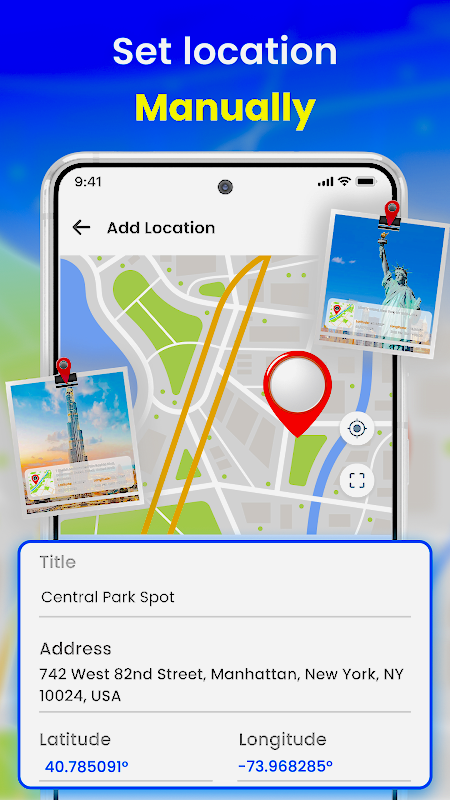

Modern parenting comes with challenges that didn’t exist a decade ago. Children today grow up with smartphones in their pockets—devices that connect them to friends, schoolwork, entertainment, and unfortunately, potential risks. From cyberbullying to online strangers, it’s understandable that parents want to ensure their children are safe both online and offline.
At the same time, parents want to respect their children’s independence. Tracking a child’s location isn’t about invading privacy—it’s about ensuring safety, especially when kids are traveling alone, attending after‑school activities, or spending time with friends.
If you’ve ever wondered whether it’s possible to track a cell phone location without installing software, the answer is yes. Several built‑in tools and services allow you to locate a device without needing to physically access it or install anything on it.
This comprehensive guide explains five reliable, legitimate, and parent‑safe methods to track a phone’s location without installing software, plus essential privacy considerations and an optional bonus solution for more advanced monitoring.
Why Parents May Need to Track a Phone Without Installing Software
There are many situations where installing an app on a child’s phone isn’t possible—or isn’t the best choice. Some common reasons include:
- Your child refuses to install a tracking app. Many kids feel uncomfortable with the idea of being monitored, even if it’s for safety.
- You don’t have physical access to the device. Your child may be away at school, traveling, or staying with relatives.
- You don’t want to modify the device. Some tracking apps require rooting an Android phone or jailbreaking an iPhone, which can void warranties and reduce security.
- You want a quick, no‑installation solution. Built‑in tools from Google, Apple, and Samsung already provide location tracking.
- You need to track from any device. Whether you’re using your phone, tablet, or computer, these methods work across platforms.
Regardless of your situation, the following methods allow you to track a phone safely and legitimately—without installing anything on the target device.
5 Proven Ways to Track a Cell Phone Location Without Installing Software
Below are the most reliable methods available today. Each one uses official services from major tech companies, making them safe, legal, and trustworthy.
1. Google Find My Device (Android)
Google’s Find My Device is one of the simplest ways to locate an Android phone without installing software. Every Android device comes with this feature built in, and it works as long as:
- The phone is powered on
- Location services are enabled
- The device is connected to a Google account
- You know the Google account credentials
How to Use Google Find My Device
- Visit the Find My Device website.
- Sign in using the Google account linked to the target phone.
- Select the device you want to locate.
- The phone’s location will appear on a map in real time.
You can also remotely lock the device or erase its data if it’s lost or stolen.
Limitations
- Only works for Android devices.
- Requires the Google account password.
- May require verification if logging in from a new device.
2. Google Maps Location Sharing
Google Maps includes a feature called Location History and Location Sharing, which can show where a device has been throughout the day. If the target phone already uses Google Maps, you don’t need to install anything.
How to Check Location History
- Open Google Maps on the target phone and ensure the correct Google account is logged in.
- Go to: Profile > Your Timeline > Settings and privacy.
- Make sure Location and Location History are turned on.
- On your own device, visit the Google Maps website and log in with the same Google account.
- Open the Timeline section to view the device’s current and past locations.
Limitations
- Only works if the phone is logged into the same Google account.
- Location updates may be delayed by a few minutes.
3. Apple iCloud (iPhone)
For iPhone users, Apple’s Find My service is the easiest way to track a device without installing software. It works through iCloud and provides accurate, real‑time location data.
How to Use iCloud to Locate an iPhone
- Visit iCloud.com..
- Sign in using the Apple ID linked to the target iPhone.
- Select Find Devices.
- Choose the device you want to locate.
You’ll see the phone’s current location on a map, along with options to play a sound, mark it as lost, or erase it.
Limitations
- Only works for Apple devices.
- Requires the Apple ID and password.
- Two‑factor authentication may require verification.
4. Samsung Find My Mobile (Samsung Devices)
Samsung offers its own tracking service for Galaxy devices. It uses a combination of Google location data and Samsung’s own network tools.
How to Use Samsung Find My Mobile
- Visit the Samsung Find My Mobile website.
- Log in using the Samsung account linked to the device.
- Follow the on‑screen instructions to locate the phone.
This service also allows remote locking, ringing, and data backup.
Limitations
- Only works for Samsung phones.
- Requires the Samsung account credentials.
- May require verification when logging in from a new device.
5. Wireless Carrier Location Services
Mobile carriers can locate devices connected to their network using cell tower triangulation. This method doesn’t rely on GPS and can work even when location services are off.
Carriers may offer:
- Family location plans
- Emergency location services
- Device‑finding tools for lost phones
How It Works
Carriers analyze the phone’s connection to nearby cell towers to estimate its location. Accuracy varies depending on the number of towers in the area.
Limitations
- Requires account holder authorization.
- Not all carriers offer real‑time tracking.
- Accuracy may be lower than GPS‑based methods.

Bonus Option: Using a Hidden Parental Control App
If you need more than basic location tracking—such as geofencing, screen‑time limits, or online safety tools—a dedicated parental control app may be a better solution.
Apps like AirDroid Parental Control offer:
- Real‑time location tracking
- Location history
- Geofence alerts
- Remote monitoring tools
- App and website blocking
- Screen‑time scheduling
These apps require installation on the child’s device, but once set up, they can run discreetly and provide a more complete safety solution.
Protecting Privacy While Tracking a Phone
Even when tracking is done for safety, privacy must remain a priority. Here are essential guidelines for responsible use:
Use Strong Passwords
Weak or reused passwords make it easier for unauthorized users to access accounts. Use unique, complex passwords for Google, Apple, and Samsung accounts.
Be Careful With Third‑Party Websites
Avoid unverified tracking websites that promise “instant phone tracking.” Many are scams or collect personal data.
Keep Devices Updated
Regular software updates patch security vulnerabilities and protect against hacking attempts.
Educate Your Family About Online Safety
Open communication helps children understand why tracking is used and how it protects them.
Conclusion
Tracking a cell phone location without installing software is entirely possible using built‑in tools from Google, Apple, Samsung, and wireless carriers. These methods are safe, legitimate, and effective for parents who want to ensure their children’s safety without being intrusive.
For families who need more advanced monitoring features, a parental control app can provide additional layers of protection and peace of mind.
If you’d like, I can also help you create:
- A featured image description
- SEO keywords
- Internal linking suggestions
- A shorter excerpt for WordPress