62 complaints about calls from this number were filed with the FTC’s Do Not Call Registry between Oct 6, 2026 and Oct 8, 2026. Most common topic: Reducing your debt (credit cards, mortgage, student loans). 60 of 62 said it was a recorded message (robocall). Complaints came from: PA, FL, IL, VA, NJ. Caller ID can be faked, so the real owner of this number may not be the caller.
174 complaints about calls from this number were filed with the FTC’s Do Not Call Registry between Sep 23, 2026 and Oct 8, 2026. Most common topic: Calls pretending to be government, businesses, or family and friends. 150 of 174 said it was a recorded message (robocall). Complaints came from: CA, VA, MI, IL, MA. Caller ID can be faked, so the real owner of this number may not be the caller.
242 complaints about calls from this number were filed with the FTC’s Do Not Call Registry between Aug 8, 2026 and Oct 8, 2026. Most common topic: Reducing your debt (credit cards, mortgage, student loans). 236 of 242 said it was a recorded message (robocall). Complaints came from: CA, FL, VA, IL, MI. Caller ID can be faked, so the real owner of this number may not be the caller.
This feed shows the newest reports people have filed about calls and texts from US and Canadian numbers, newest first. Each one is a short account of what happened, written by someone who got the call. Here is how the feed works, how to read a report critically, and how to write one that helps the next person.
Key takeaways
- The feed lists approved reports in the order they arrive and refreshes on its own every 30 seconds.
- One report is one person’s experience. Look for several reports describing the same script before drawing conclusions.
- A useful report says what the caller claimed, what they asked for and how they wanted to be paid, without personal details.
- Votes sort the most helpful reports to the top of a number page. Flags send rule-breaking reports to moderators.
- You don’t need an account. Your IP address is stored only as a salted hash, and links and email addresses are removed from comments.
How the live feed works
Every approved community report appears here, across every number. The list starts with the 20 most recent, and new ones slide in at the top while you watch, since the page checks for new reports every 30 seconds. “Load more” at the bottom goes further back.
The chips above the list filter by category. Pick “Bank / card fraud” or “Fake delivery / package” to see only those reports. It’s a quick way to check whether a script you just heard is going around. If three people in different states describe the same “suspicious charge on your account” call in the last hour, you’re probably looking at one campaign.
Click any number in the feed to open its page, which has the risk score, all of its reports, FTC complaint data and location details. The sidebar shows numbers trending in the last 24 hours. For the longer view, with 7-day, 30-day and 1-year rankings, see top spam numbers.
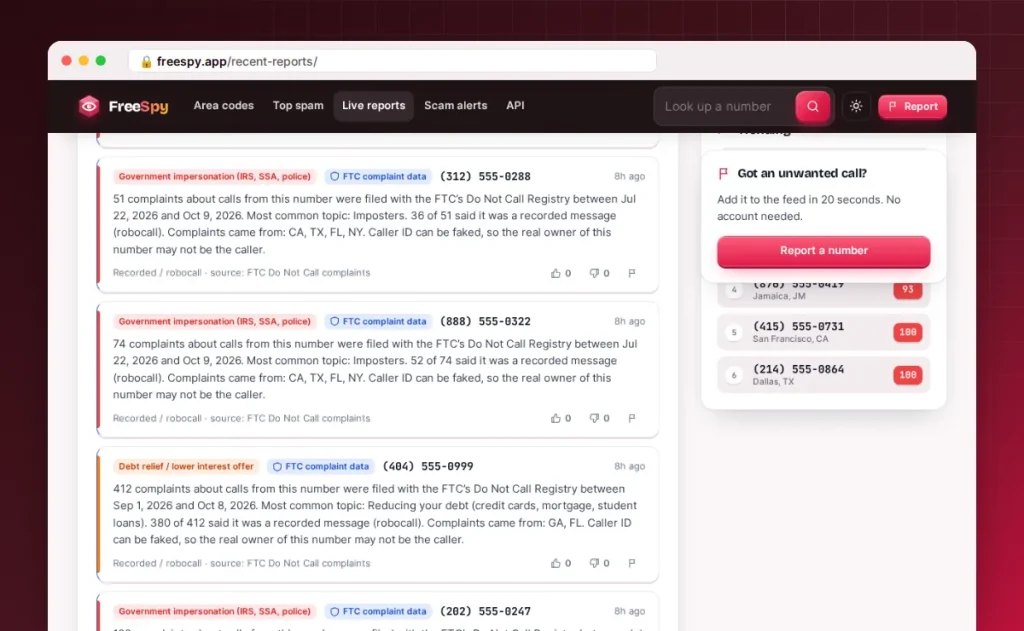
Two things never appear in the feed. Reports hidden by moderators or waiting for review after being flagged are left out. So are reports about numbers whose owners had them removed through the remove my number process.
How to read a report
Each card in the feed has the same parts:
- The category tag. What the reporter thinks the call was, such as “Government impersonation (IRS, SSA, police)” or “Telemarketer / sales”. Red tags mark unwanted reports in high-severity categories, amber marks other unwanted reports, green marks callers rated safe, and gray marks “not sure”.
- The number and the time. The number links to its page. The time is when the report was filed, not necessarily when the call came in.
- “Claimed to be”. The name the caller used, if the reporter wrote it down. This is a claim, not an identity. Scammers borrow names like “Social Security” or a big bank’s name all the time.
- The comment. The reporter’s own description of the call.
- The footer. How the contact happened (phone call, text, voicemail, recorded call or one-ring missed call) and, if the reporter gave their own area code, the city and state that code covers. Then the helpful and not-helpful vote counts and the flag button.
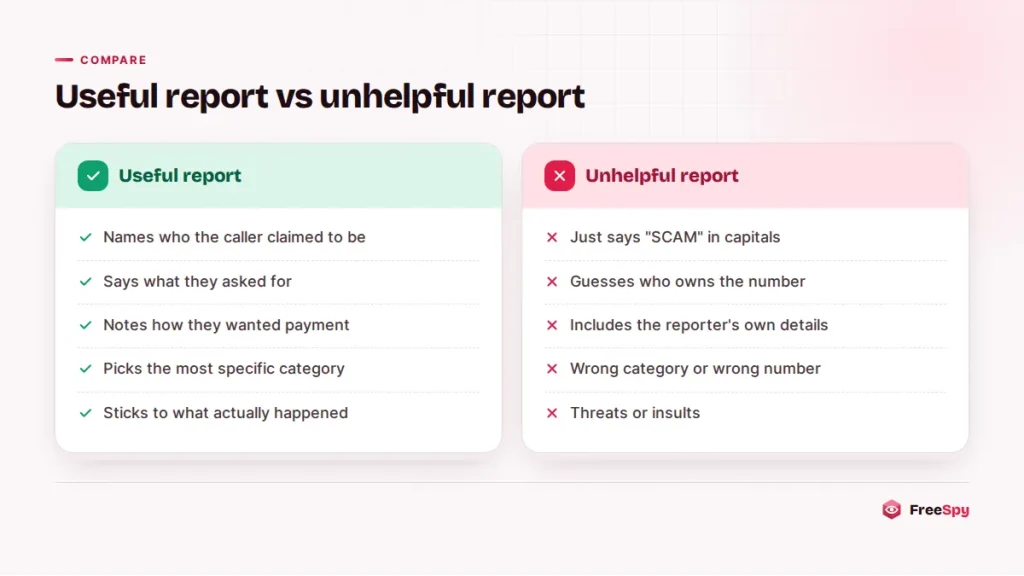
Read reports the way you’d read reviews. One report can be a misunderstanding: someone forgot they booked a dentist appointment, or a real fraud alert from their bank got mistaken for a scam. Several independent reports that describe the same opening line, the same claimed name and the same payment demand carry much more weight. Specific details beat strong adjectives. “Said my Social Security number was suspended and asked me to buy gift cards” tells you more than “SCAM SCAM SCAM”.
Also remember that caller ID can be faked. If a number’s reports suddenly describe calls nobody would expect from it, the number may have been spoofed. The spoofing guide explains how that happens.
How to write a useful report
The report form takes about 20 seconds. A few habits make your report far more useful to the next person who looks up that number.
- Copy the number exactly as it appeared. Use the number from your call log or message thread, not one the caller read out to you.
- Pick the rating that fits. “Unwanted” for spam and scams, “Not sure” if you couldn’t tell, “Safe” if it turned out to be legitimate. Safe ratings matter: they lower a number’s score and protect real businesses whose numbers get spoofed.
- Choose the most specific category. “Tech-support scam” is more useful than “Scam / fraud” if someone wanted remote access to your computer. Categories feed the score, and serious ones count for more.
- Say how they reached you. A call, text, voicemail, recorded message or a single ring.
- Write down the name they claimed, such as “Amazon Security” or “Medicare Benefits Office”. Repeated names across reports are one of the clearest signs of a campaign.
- Describe what happened in plain facts. What did they say first? What did they want: a code, a payment, your Social Security or Medicare number, remote access? How did they want to be paid? Gift cards, wire transfers and crypto are red flags.
- Add your area code if you like. It shows only as a city and state, and it helps others see whether a campaign is local or national.
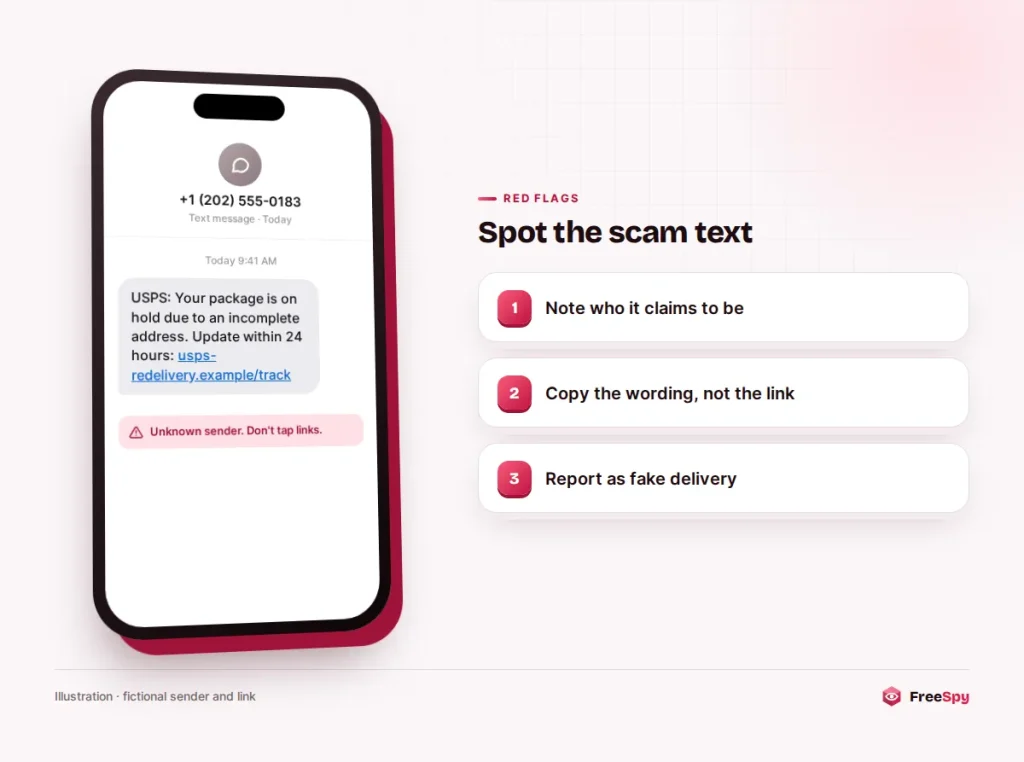
For text messages, copy the wording but leave out the link. Links are removed automatically anyway, and you don’t want anyone tapping one. According to the FTC’s analysis of 2024 text scam reports, fake package delivery problems were the most reported text scam, followed by phony job offers and fake fraud alerts. If yours matches one of those, choose the matching category (“Fake delivery / package”, “Fake job offer” or “Bank / card fraud”) rather than a general one.
A few things don’t belong in a report. Don’t include your own phone number, address or account details. Don’t name a private person you suspect is behind the call, and don’t post threats or slurs. If you’re guessing, say so. The community guidelines have the full list.
What happens after you submit
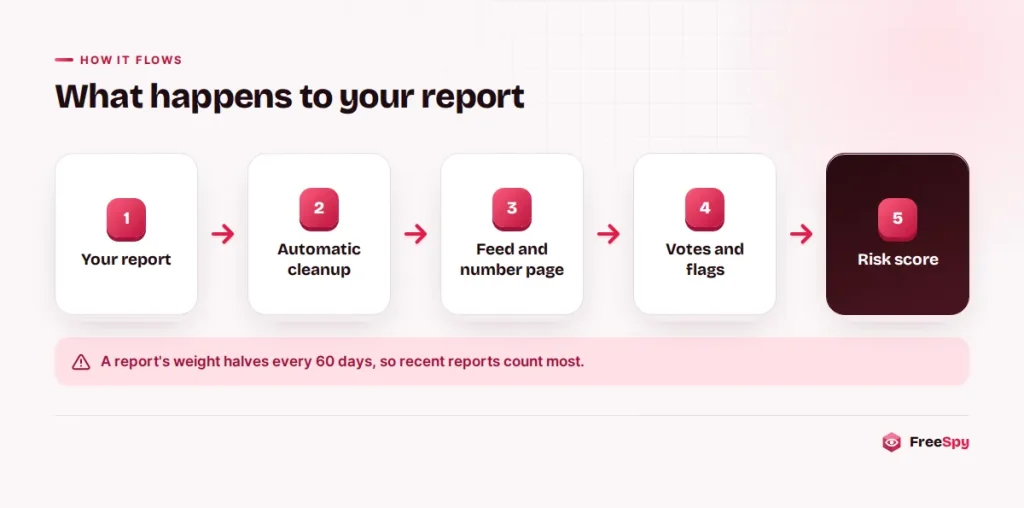
Comments are cleaned the moment you submit: links become “[link removed]”, email addresses are masked, and comments are capped in length. Depending on current moderation settings, your report either goes live right away or waits for a quick review, and the form tells you which. You can report each number once per 24 hours. The form also has protection against automated spam.
Once approved, your report shows up in this feed and on the number’s page, and it counts toward the number’s risk score straight away. Recent reports count most. A report’s weight halves every 60 days, so the score reflects what a number is doing now. The How it works page explains the full scoring method.
What voting and flagging do
Votes are for usefulness. If a report helped you understand a call, mark it helpful. If it’s vague or off-topic, mark it not helpful. On a number’s page, readers can sort reports by “Most helpful”, so good reports rise. Votes don’t change the risk score directly. You get one vote per report.
Flags are for rule-breaking. Flag a report if it shares someone’s personal information, contains abuse or threats, is an advertisement, or is clearly about the wrong number. When a report collects several flags, it is hidden automatically until a moderator reviews it. The moderator can restore it, keep it hidden or delete it.
Please don’t flag a report just because your experience was different. If a number called you for a legitimate reason, file your own report with a “Safe” rating. That adds your side of the story and lowers the score fairly, while the other report stays visible.
Privacy for reporters
Reporting a scam caller shouldn’t expose you to them. That’s why reporting works the way it does:
- No account. You don’t sign up, so there’s no profile tied to your reports.
- No raw IP address. FreeSpy stores only a salted hash of your IP address, which is enough to enforce the once-a-day limit and stop vote stuffing, but not to show where you connected from.
- General location only. If you give your area code, the report shows the city and state that code covers, never your own number.
- Cleaned comments. Email addresses are masked automatically. Still, keep your own details out of the text.
The privacy policy has the details on what is stored and for how long.
Report it to the authorities too
A FreeSpy report warns other people. An official complaint helps build cases. You can do both:
- US: report fraud at ReportFraud.ftc.gov. Report unwanted sales calls to the Do Not Call Registry at donotcall.gov or 1-888-382-1222. Forward scam texts to 7726 (SPAM).
- Canada: report fraud to the Canadian Anti-Fraud Centre at 1-888-495-8501, and telemarketing complaints to the National Do Not Call List at lnnte-dncl.gc.ca or 1-866-580-3625.
If you lost money or shared account details, call your bank first.
Frequently asked questions
Why doesn’t my report appear in the feed?
It may be waiting for a quick review, or it may have been hidden after flags. If you already reported that number today, a second report won’t go through.
Can I edit or delete my report?
There are no accounts, so reports can’t be edited after submitting. If you made a mistake, contact us through the contact page with the number and the time you reported it.
Are the reports verified?
No. They are individual accounts, moderated for rule-breaking but not fact-checked. That’s why the risk score weighs many reports together with FTC complaints and other signals.
Can the owner of a number see who reported it?
No. Reports show only an optional general location. FreeSpy doesn’t publish names, phone numbers or IP addresses of reporters.