Your phone rings and the caller ID shows your own number. Or a stranger texts, “Why do you keep calling me?” when you haven’t called anyone. It feels like someone has gotten inside your phone.
Almost always, nobody has. Someone has typed your digits into a calling system as a fake caller ID. The phone, the SIM and the account are untouched. There is one rarer situation that does involve your account, and it looks different enough that you can tell them apart in a minute or two.
Three problems that get described the same way
“Someone is using my number” can mean three things, with different causes and different fixes.
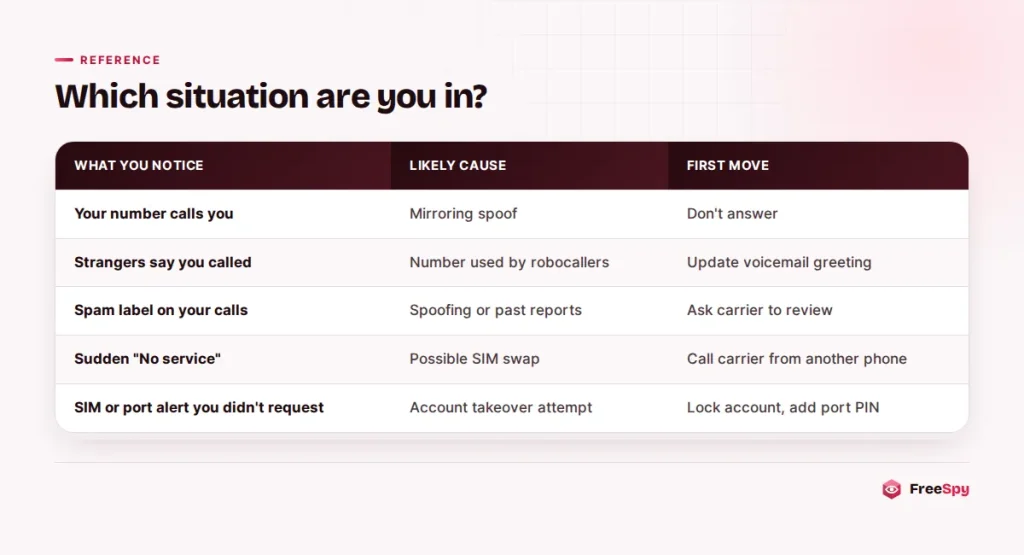
The first is calls that arrive showing your number. That is spoofing aimed at you, and the call is coming from somewhere else entirely.
The second is other people receiving calls that show your number. Your digits are being used as the fake caller ID in someone else’s robocall or scam campaign, and you only find out when strangers call or text back.
The third is your phone or account behaving strangely: service drops for no reason, calls fail, or your carrier texts about a SIM change or transfer you never asked for. That isn’t spoofing. It’s the one to treat as urgent.
When the call shows your number
Caller ID is information the calling network sends along with the call, and internet-based calling systems let the caller type in whatever number they like. The FCC describes spoofing as a caller deliberately falsifying the information sent to your caller ID display to disguise their identity. Canada’s CRTC has a name for the version where the number shown is the recipient’s: mirroring.
What the caller gets out of it
Mostly, curiosity. Seeing yourself on the screen is odd enough that many people answer just to find out what happens, and answering confirms the line is live and reaches a person.
It also slips past a common habit. Plenty of people only pick up numbers they recognize, and no number looks more familiar than the one you’ve had for years.
It gives the caller a ready-made story, too. “We’re calling from your phone company about a problem with this line” sounds plausible when the line itself appears to be calling.
And it can be a way into your voicemail. On some services, a call that appears to come from your number is treated as you checking your messages. The FCC warns that a hacker could spoof your home phone number and get into your voicemail if you haven’t set a password.
How the call usually goes
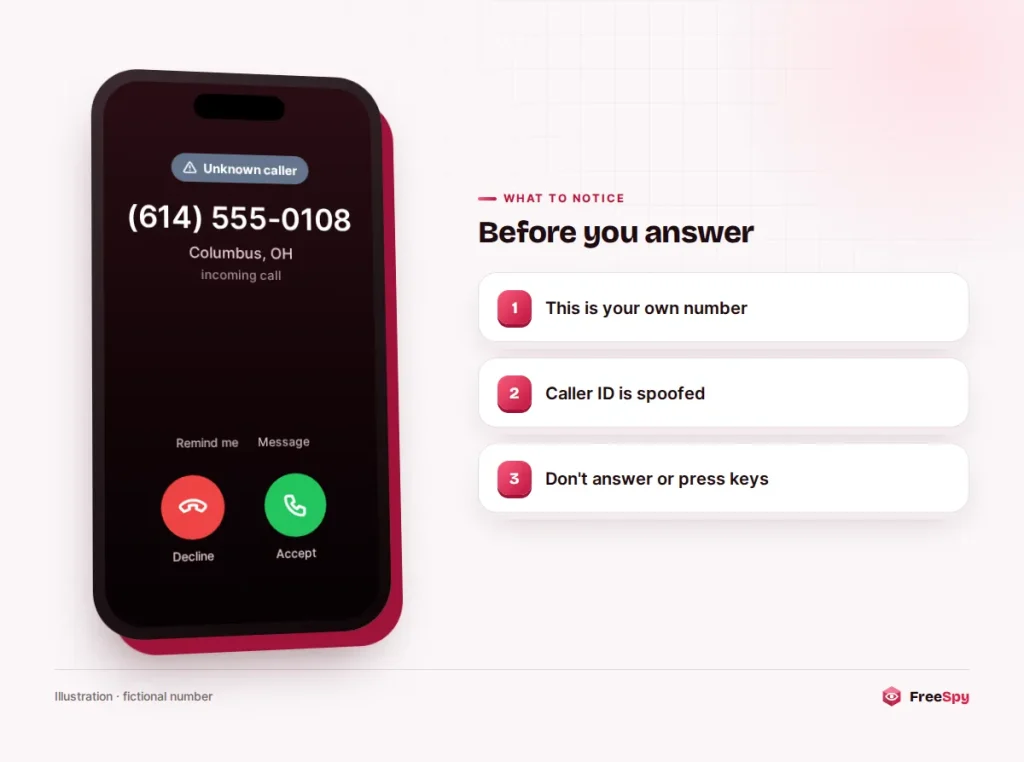
Your phone shows (614) 555-0108, which is your number. You answer and hear a recording:
“This is an important message from your wireless provider. Unusual activity has been detected on this line. Press 1 to speak with a security specialist.”
Pressing 1 connects you to someone who wants to “verify” your account PIN, the last digits of your Social Security number, or a code that is about to arrive by text. That code is often the key to your account. Your carrier has no reason to ask you to read it aloud on a call you didn’t place.
Watch out: A one-time code from a text is for you to type in, never to read out to a caller, even one showing your carrier’s name or your number. Criminals collect these codes to take over accounts, which is the whole point of the verification code trick.
Handling it
Don’t answer. For most people, a call from their own line has no legitimate reason to exist, so let it go to voicemail.
If you already picked up, hang up. The FCC advises against pressing keys when a caller asks you to, and against answering questions that can be answered with “yes” or “no.”
Set or change your voicemail PIN, and pick something other than your birthday or the last four digits of the line.
Then turn on your carrier’s spam filtering and your phone’s unknown-caller settings. Both catch a good share of these calls, and the steps on iPhone and Android take a few minutes.
When strangers say you called them
Robocallers choosing a fake caller ID often pick one that looks local to the people they’re dialing, a trick known as neighbor spoofing. If your number fits the area they’re targeting, it may appear on thousands of calls you never made. You hear about it only when people call back.
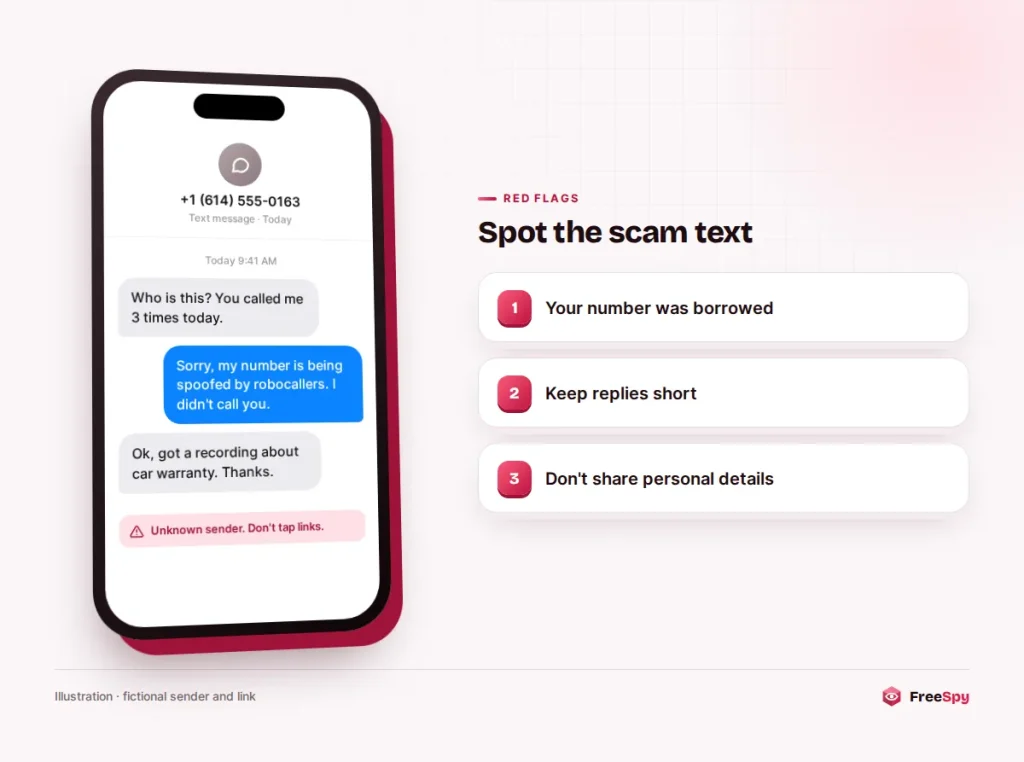
It’s maddening, but nothing is wrong with your phone. A calm, short reply covers most callbacks: “I’m sorry, robocallers are using my number. I didn’t call you, and I can’t stop them. If you got a recording, it wasn’t me.”
Changing your voicemail greeting saves you repeating that all day. Something like: “If you got a call from this number in the last few days, it was spoofed and didn’t come from me. If you know me, leave a message.”
Some “who is this?” texts are confused people. Others are scammers fishing for a conversation, and those tend to get friendly fast and drift toward money or investments. Answer once, briefly, and don’t share anything personal.
Let your carrier know, since they can note it on the account and may help if your number starts getting flagged. In the US you can also file a complaint with the FCC at fcc.gov/complaints. In Canada, the CRTC points people to their local police or the Canadian Anti-Fraud Centre (1-888-495-8501) when fraud is suspected.
Most of these waves pass within days, because robocallers rotate numbers constantly. Getting a new number rarely helps, since any number can be spoofed.
One side effect can outlast the calls. Annoyed people sometimes report the number they saw on lookup sites, and carriers may start labeling it as spam. Ask your carrier to review the label. This site has a removal request for exactly this case: after you verify the number, reports about it are hidden and its page is set to noindex. Requests are reviewed within 72 hours.
Signs the number itself has been taken
Spoofing never touches your service. A SIM swap or an unauthorized port-out does. In a SIM swap, a criminal tricks your carrier into moving your number to a SIM card they control. In a port-out, they transfer it to a different carrier. Either way, your calls and texts, including login codes, start going to them.
The warning signs look like this:
- Your phone suddenly shows “No service” or “SOS only” somewhere it normally works fine.
- Your carrier emails or texts about a SIM change, a new device or a number transfer you didn’t request.
- You’re locked out of email, banking or social media, or you get password reset messages you didn’t ask for.
- Friends mention odd texts from you that don’t appear in your sent messages.
If any of that is happening, call your carrier from another phone right away, using the number on its website or your bill. Ask them to check for SIM changes or port requests, lock the account, and add a port-out PIN or freeze. Then change the passwords on your email and financial accounts. Recovering from a SIM swap or port-out takes more steps than spoofing does, so start early.
Landlines and older relatives
Mirrored calls hit home phones too, and they can be harder to manage there. Many landlines show only a number, with no spam warning, and an older parent may answer anything that rings.
The voicemail risk is also larger on some home lines, because the mailbox was set up years ago and never given a PIN. If you help a relative with their phone, check that first.
Network filters don’t help much with this particular trick. Since a 2018 CRTC decision, Canadian carriers block calls whose caller ID is blatantly illegitimate, such as a number that can’t exist. A mirrored call shows a real, working number, so it passes that test. Ask the home phone provider what call-screening or blocking features the line supports, and agree on a simple rule at home: a call that shows your own number is never answered.
The law on borrowing someone’s number
In the US, the Truth in Caller ID Act makes spoofing illegal when it’s done to defraud, cause harm or wrongfully obtain anything of value, and the FCC can fine violators up to $10,000 per violation. Some spoofing is legal, such as a doctor calling from a personal phone while displaying the office’s main line. Using your number in a scam campaign falls on the illegal side, but the people doing it are often overseas and hard to trace.
Both the US and Canada now require STIR/SHAKEN caller ID authentication on IP-based networks, which makes it harder for a spoofed call to arrive marked as verified. It doesn’t reach older networks, and calls entering from abroad get only the weakest attestation. None of this is legal advice; check the official source or ask a lawyer about a specific case.
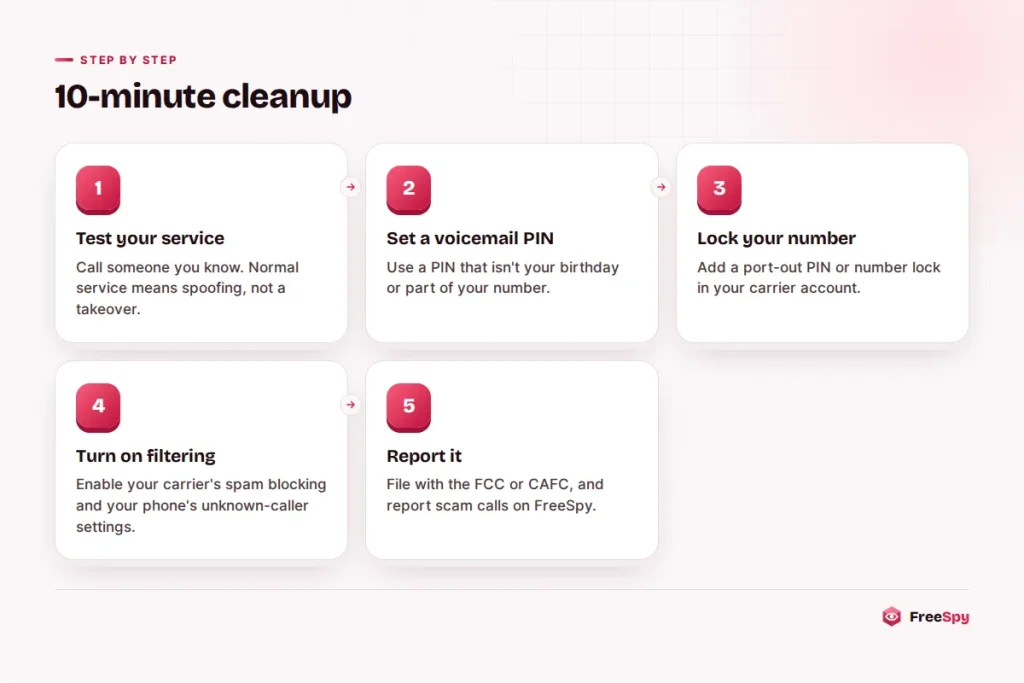
A ten-minute cleanup
Whichever of the three situations you’re in, these steps cover the basics.
- Make a test call to someone you know. If it goes through and your signal is normal, you’re almost certainly dealing with spoofing, not a takeover.
- Set a voicemail PIN through your carrier’s app or by calling voicemail.
- Add a port-out PIN or number lock in your carrier account. Many carriers offer one; if you can’t find it in the app, ask.
- Turn on spam filtering with your carrier and on the phone itself.
- Update your voicemail greeting if strangers are calling back.
- Report it: the FCC in the US, the CAFC in Canada. If the call came with a recording or a script, a report on the number’s lookup page warns others too.
What a lookup of your number can show
Looking up your own line won’t reveal who spoofed it, because spoofed calls never pass through your account. It does show how your number looks to everyone else. A FreeSpy number page lists whether anyone has reported it, which category they chose, and whether the reports cluster in the last few days.
A sudden burst of “robocall” reports on a number you use normally is strong evidence it was borrowed for a campaign. That’s something concrete to show your carrier. The “watch this number” option sends an email when new reports appear, so you’ll know if a second wave starts.
Sources
- FCC: Caller ID spoofing
- CRTC: Caller ID spoofing
- FCC Consumer Complaint Center
- Canadian Anti-Fraud Centre