You can’t stop spammers from dialing your number, but you can decide what happens when they do. Your phone’s built-in settings, your carrier’s free filter and a couple of habits will push most unwanted calls to voicemail or block them before the phone rings.
The fastest single change: on iPhone, turn on Silence Unknown Callers (or call screening on newer iOS). On Android, open the Phone app’s settings and switch on spam filtering. The rest of this page walks through each layer on iPhone, Android and landlines, and is honest about what blocking can’t fix.
52.5 billion robocalls, and not all of them junk
According to the YouMail Robocall Index, Americans received about 52.5 billion robocalls in 2025. Not all of them were bad. In November 2025, YouMail estimated 56% were scams and telemarketing combined, while 27% were notifications and 16% were payment reminders.
That split matters when you choose settings. A pharmacy refill reminder or a school closure alert also comes from a number you haven’t saved, so the strictest options can catch calls you want.
Aim for this: strangers reach voicemail, saved contacts ring through, and anything that leaves a message gets a quick check.
iPhone settings
Block one number
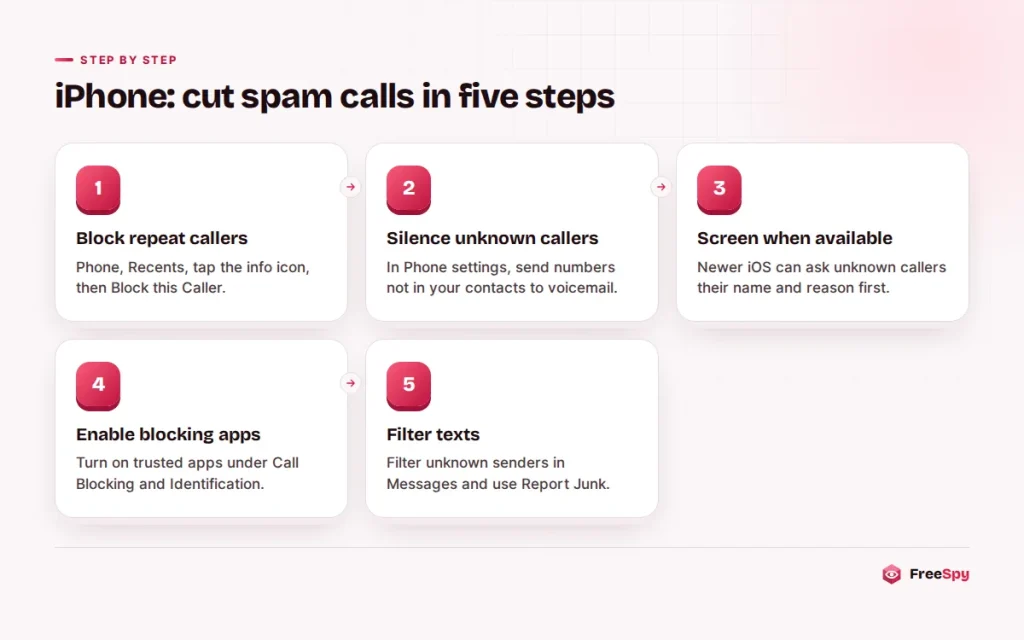
Open Phone → Recents, tap the ⓘ next to the number and choose Block this Caller. Blocked calls go straight to voicemail without ringing, and their messages land in a separate Blocked Messages section at the bottom of your voicemail list, so you can still listen later. Blocking also stops FaceTime calls and iMessages from that number.
Blocking a contact card blocks every number saved on that card. That’s handy when one company calls from several lines.
Silence or screen unknown callers
Go to Settings → Phone (on newer iOS versions, Settings → Apps → Phone) and find Silence Unknown Callers. With it on, calls from numbers that aren’t in your contacts, recent outgoing calls or Siri Suggestions go straight to voicemail and appear in Recents. The phone doesn’t ring.
Newer iOS versions add call screening. Instead of silently dropping an unknown call, the iPhone answers for you and asks the caller for their name and reason for calling. You read the answer on screen and decide whether to pick up.
Robocalls usually hang up at that point. A real person, such as a delivery driver, a doctor’s office or a new client, gets through. The menu name changes between iOS versions, so search Settings for “unknown callers” if you can’t find it.
Tip: Expecting a call from a number you don’t know, like a hospital or a recruiter? Save their main number to Contacts in advance, or check voicemail more often that day. Calls you place to 911 aren’t affected by any of these settings.
Call Blocking & Identification
In the same Phone settings, Call Blocking & Identification lists any spam-blocking apps you’ve installed. Turn on the ones you trust. These apps hand iOS a list of known spam numbers to label or block, and under Apple’s design they don’t get to see who calls you. The same menu shows your full list of blocked numbers.
Texts from strangers
Open Settings → Messages (or Settings → Apps → Messages) and turn on the unknown-sender filter, called Filter Unknown Senders on many versions. Texts from people not in your contacts move to a separate list and don’t send notifications.
When a text from an unknown sender arrives, the conversation shows a Report Junk option. It sends the message to Apple and, in many cases, your carrier, then deletes it. The common scam text formats are worth recognizing even with the filter on.
Android settings
Menus differ by phone maker and Android version. The steps below follow the Google Phone app, used on Pixel and many other phones, then Samsung’s Phone app.
Block one number
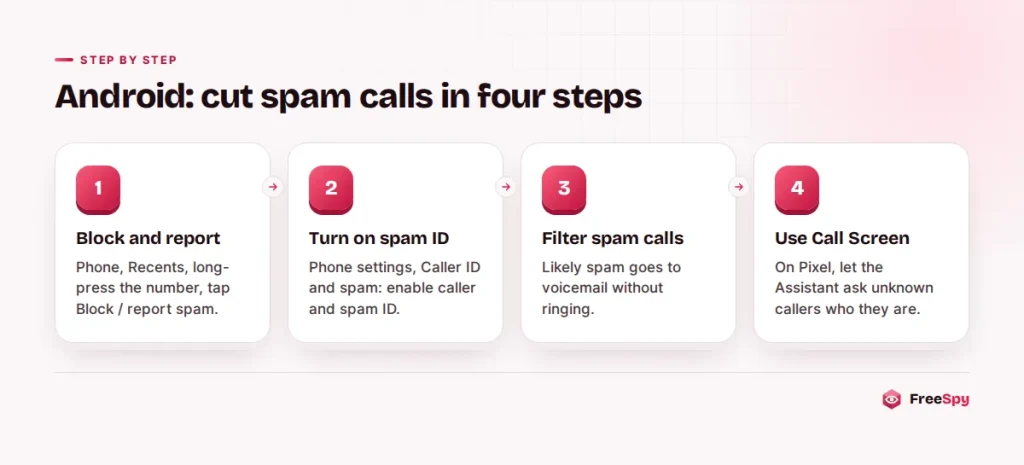
Open the Phone app, go to Recents, long-press the number and tap Block / report spam. Leave “report call as spam” checked if it was junk, because those reports feed Google’s spam detection for everyone.
To see or edit your list, open the Phone app’s Settings → Blocked numbers. That screen usually also has a switch to block calls from unknown or private numbers.
Caller ID and spam filtering
In the Phone app, tap the three-dot menu, then Settings → Caller ID & spam (called Spam and Call Screen on newer versions). Turn on caller ID and spam ID, then turn on Filter spam calls. Calls Google judges as likely spam go to voicemail without ringing and still show up in your call history.
Call Screen on Pixel
Pixel phones include Call Screen. When an unknown number calls, tap Screen call and the Google Assistant answers, asks who’s calling and why, and shows you a live transcript. You can pick up, send a quick reply or hang up.
In supported countries you can set Call Screen to handle unknown callers automatically, declining robocalls without bothering you. What’s available depends on your country and model.
Samsung Galaxy
Open the Phone app, tap the three-dot menu, then Settings. Look for Caller ID and spam protection, the feature often called Smart Call, which labels suspected spam and can block high-risk calls. The Block numbers screen in the same menu lets you add numbers by hand and block unknown or private callers.
Blocking a whole list in one go
One number at a time gets tedious when the same group of spam lines keeps calling your area. The most-reported numbers list on FreeSpy can be downloaded as a vCard file. Import it into your contacts and it appears as a single “Spam” contact holding all those numbers. Then block that one contact. On iPhone and most Android phones, blocking a contact blocks every number on it.
Two cautions. The list reflects what people have reported, so download a fresh copy now and then. And if one of those numbers was spoofed from a real person’s line, you might block someone you later want to hear from. If a known caller says they can’t reach you, check your blocked list first.
What your carrier can see that your phone can’t
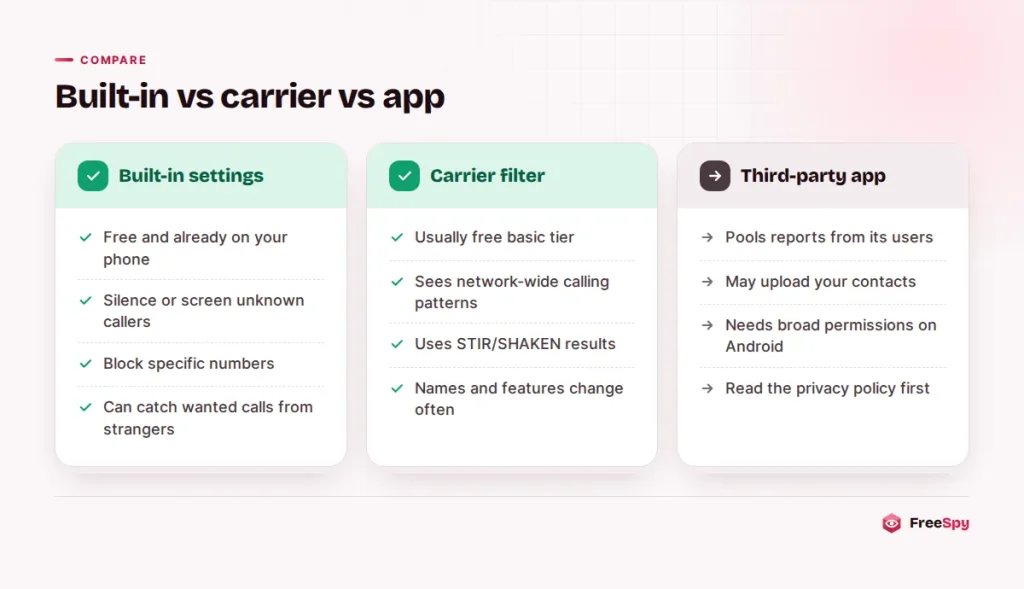
Most US and Canadian carriers offer free spam filtering inside their network. It combines STIR/SHAKEN caller ID verification results with call-pattern analysis, such as one number placing thousands of short calls an hour, which no single phone could ever spot.
In the US, AT&T calls its version ActiveArmor, Verizon has Call Filter, and T-Mobile has Scam Shield. The major Canadian providers label suspected spam on incoming calls and offer filtering through their apps or account settings.
Names, free tiers and paid upgrades change often, so check your carrier’s app or search its support site for “spam” or “call filter”. Free versions usually label and block the highest-risk calls, and paid tiers add extras like caller name lookup.
Landlines
Home phones have fewer tools, but they have some.
Start by asking your provider. Many offer anonymous call rejection, which refuses calls with blocked caller ID, and some offer spam filtering. Home phone service from cable and internet companies often has robocall filtering in the account settings.
Some cordless phones ask unknown callers to announce themselves before the handset rings, and stand-alone call blockers sit between the phone and the wall jack.
The cheapest tool is the answering machine. Older relatives in particular do well with one simple rule: never pick up until you hear who it is.
Blocking apps and your contact list
Dedicated spam-blocking apps can catch numbers your phone and carrier miss, because they pool reports from their own users. The price is often your data. Before you install one, look at three things:
- What it uploads. Some caller ID apps ask to upload your contacts, which puts your friends’ names and numbers into the app’s database without their consent.
- Which permissions it wants. On Android, a blocking app often needs to be your default caller ID and spam app or your default phone app, which gives it your call log.
- How it makes money. The privacy policy will say whether data is shared with advertisers or partners.
On iPhone, the Call Blocking & Identification design limits what these apps can see, which lowers the risk. Android permissions vary more, so read the install screens carefully.
Why the blocked number never calls twice
Blocking works on numbers, and scammers treat numbers as disposable. Robocallers spoof caller ID and show a different random or local number on each call. The number you blocked yesterday may never ring again, while today’s call arrives from a new one. And the blocked number may belong to an innocent person whose number was borrowed.
That’s why settings that act on unknown callers, such as silencing, screening and carrier filtering, beat blocking individual numbers. Blocking is still worth it for repeat callers on real numbers, like a persistent telemarketer or a debt collector looking for someone else.
Blocking doesn’t affect your legal rights, either. If a company keeps calling after you’ve asked it to stop, keep a record of the calls rather than only blocking them. The TCPA and Do Not Call rules spell out what counts as a violation.
Registering and reporting cut the volume
Blocking hides calls on your phone. Registration and reporting reduce them.
Register your numbers. In the US that’s the National Do Not Call Registry (donotcall.gov, 1-888-382-1222). In Canada it’s the National DNCL (lnnte-dncl.gc.ca, 1-866-580-3625). Legitimate telemarketers have 31 days to stop calling.
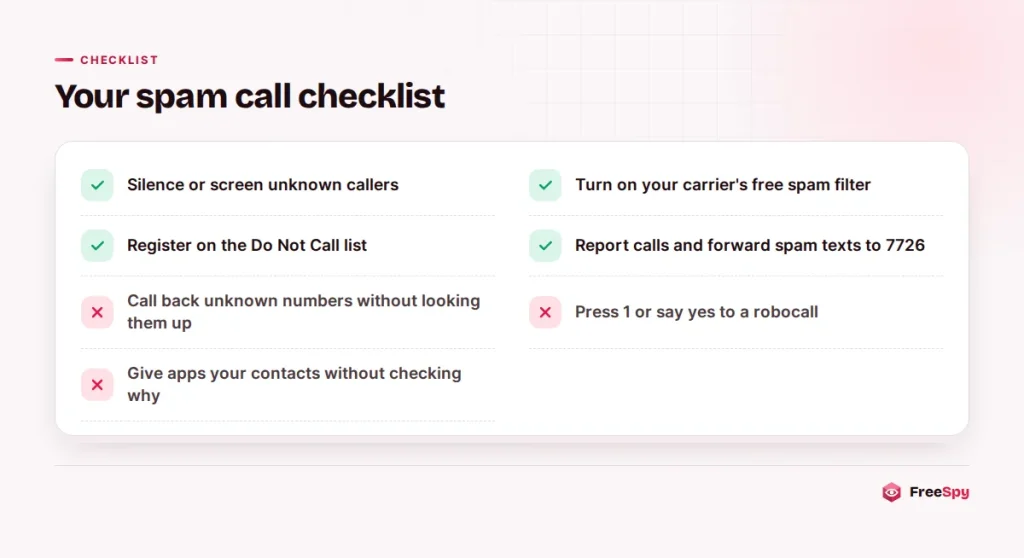
Report the calls that keep coming. File a complaint at donotcall.gov in the US, or through the DNCL in Canada. If money or personal details were involved, report to ReportFraud.ftc.gov or the Canadian Anti-Fraud Centre (1-888-495-8501). Forward spam texts to 7726 (SPAM) so your carrier can act on them.
A short community report describing what the caller said also helps whoever looks the number up next, and checking an unfamiliar number before calling back shows its location, line type and any complaints against it.
Questions that come up
Does a blocked caller know they’re blocked?
Not directly. On iPhone, a blocked call goes to voicemail. On Android, it usually ends or goes to voicemail depending on the phone and carrier. Either way, the caller isn’t told.
Why do I still get spam after turning everything on?
Spoofed numbers that look local, and calls that pass carrier checks, still get through. Filtering cuts the volume but won’t reach zero. Let unknown callers leave a message and report what slips past.
Someone says I keep calling them, but I didn’t. What happened?
A robocaller is probably spoofing your number. Your phone hasn’t been hacked, and blocking won’t help because the calls aren’t coming from your line. If people file reports against your number on lookup sites, you can usually ask for them to be hidden.
Sources
- YouMail Robocall Index
- National Do Not Call Registry (donotcall.gov)
- Canada’s National Do Not Call List
- ReportFraud.ftc.gov
- FTC Data Spotlight: top text scams of 2024
- Canadian Anti-Fraud Centre