Your phone lights up with “Scam Likely” where a name should be. Your partner’s phone, on a different carrier, shows another call as “Potential Spam.” Neither warning came from the caller. Your carrier or your phone’s software added it on the way in, based on a guess about the number.
That guess is often right and sometimes badly wrong. A pharmacy reminder can arrive flagged, while a fraud call from a fresh number shows nothing at all. Once you know who writes these labels and what evidence they use, you can decide how much weight to give them.
The warning is added between the caller and your screen
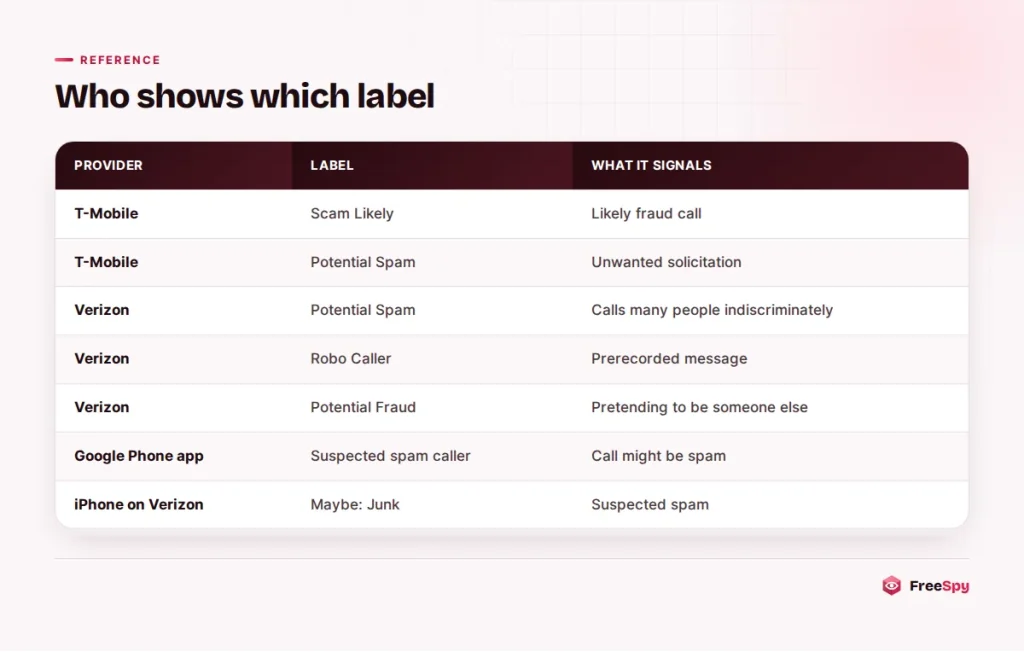
When someone calls you, the network passes along the calling number. The caller ID name, if there is one, comes from a database lookup and is limited to 15 characters. Somewhere between the caller’s network and your phone, your carrier can also run the number through a call analytics system. If the system decides the call is probably unwanted, it swaps in a warning or adds one next to the number.
The FCC opened the door to this in June 2019, when it ruled that phone companies may block unwanted robocalls by default, based on reasonable analytics. Labeling is the gentler cousin of blocking. The call still rings, but you get a warning and the decision is yours. According to the FCC, most providers offer these tools in partnership with analytics companies, which is why one call can carry different labels on different networks.
Your phone may then add a second opinion. Google’s Phone app on Android runs its own spam check, and an iPhone can screen or silence unknown numbers on its own. A single call can be judged twice before you see it.
Each carrier picks its own words
There is no shared vocabulary across the industry. Each provider chooses its wording and how many tiers to use, and the help pages describe them differently.
T-Mobile separates fraud from sales calls
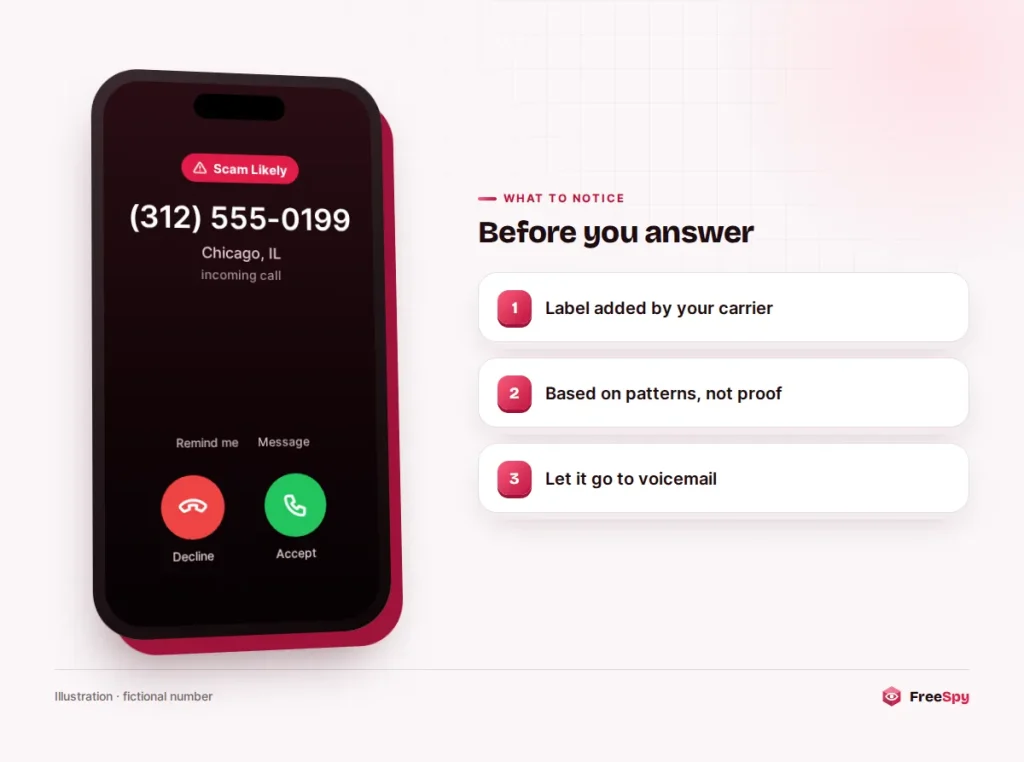
T-Mobile describes “Scam Likely” as a caller label that warns you when the company identifies an incoming call as a likely scam. It keeps a separate tier, “Potential Spam,” for unwanted solicitation calls from numbers not specifically intended for you. Put simply, one points to fraud and the other to a marketing blast.
The carrier also offers Scam Block, which stops calls in the fraud tier before they ring. You can turn it on in the T-Mobile app or account, or by dialing #662# from a T-Mobile phone. T-Mobile warns that it might block calls you want.
Verizon uses three labels
Verizon’s Call Filter can show “Potential Spam” for callers reaching large numbers of people indiscriminately, “Robo Caller” for automated calls with a prerecorded message, and “Potential Fraud” for an entity likely pretending to be someone it is not. Customers on the free version see every spam call marked “Potential Spam.” On iPhones, a suspected spam call can appear as “Maybe: Junk.”
AT&T labels at the network level
AT&T says its network automatically blocks known fraud calls and labels suspected spam calls. The free ActiveArmor app lets you adjust how aggressive the filtering is and keep a personal block list. AT&T’s own fine print says the service may block wanted calls by mistake.
Android and iPhone add their own layer
Google’s help page says that if you see “Suspected spam caller” or “Spam” as the caller ID, the call might be spam. On iPhone, Screen Unknown Callers can ask a caller why they are calling before the phone rings, or silence unknown numbers and send them straight to voicemail.
Canadian carriers
Canadian providers use their own wording, and features vary. The CRTC has required network-level blocking of calls with blatantly illegitimate caller ID, such as numbers that cannot exist, since a 2018 decision. Warnings on calls that do get through work the same way as in the US. They are the carrier’s estimate, not a finding about the caller.
What the analytics look at
Carriers and analytics firms don’t publish their formulas. A published formula would be a manual for avoiding it. The general inputs, though, are no secret.
Volume comes first. A number placing thousands of calls an hour, nearly all to strangers, behaves like an autodialer. Call length matters too: a flood of calls that end within seconds suggests recordings people hang up on.
Complaints feed in. When people tap “spam” in their phone app or report a number, that becomes evidence. So does history, since numbers tied to past scams, or ranges heavily used by robocallers, carry that record with them.
Caller ID authentication counts as well. A call that enters a US network through an international gateway gets the weakest of the three STIR/SHAKEN attestation levels, and that can count against it.
What comes out is a probability. Verizon states plainly that it doesn’t guarantee every spam call will be detected, and every carrier’s terms admit that wanted calls get caught sometimes.
Pharmacies and doctors get flagged too
The signals that catch robocallers also catch honest organizations that make lots of calls. Pharmacies sending refill reminders, schools announcing closures, delivery services, hospitals, campaigns and charities all place high volumes of short calls. Some share outbound numbers with other companies.
Picture your doctor’s office calling from (614) 555-0186 to confirm tomorrow’s appointment. The office uses an outside reminder service that dials thousands of patients a day, and most don’t pick up. On your screen, the call shows “Potential Spam.” The label is wrong, but you can see how the system got there.
A number can also inherit a bad reputation. If robocallers spoofed it in a campaign, it may stay flagged for a while after the campaign ends.
A clean screen doesn’t mean a clean call
The opposite mistake is just as common. Scammers rotate through numbers quickly, so a number used for the first time today has no complaints and no history. They also spoof local numbers, or numbers belonging to real organizations, which filters are cautious about blocking. A call with no warning only means the system had no strong signal yet.
So the habit that protects you is the same with or without a label.
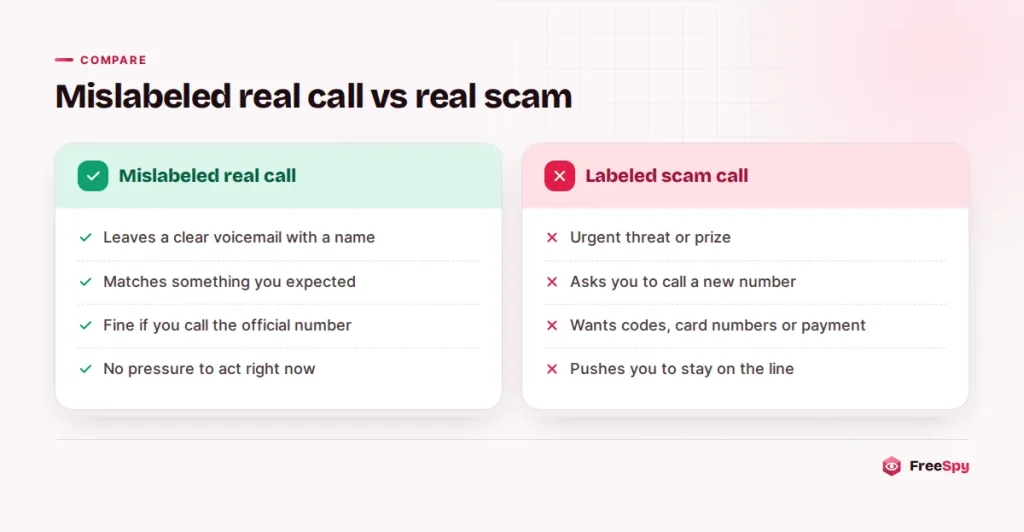
Watch out: A caller may say, “Our number shows as spam because of a system glitch, but this really is your bank’s fraud department.” A real bank won’t mind at all if you hang up and call the number printed on the back of your card. That step works whether the call was labeled or not.
Deciding what to do with a flagged call
Treat the label as a hint about how much effort a call deserves, not as an answer about who is calling.
- Let it go to voicemail. A real caller with a real reason usually leaves a name and a way to reach them.
- Don’t return it from the call log. That confirms your line is active, and some numbers bill like international calls, which is how the one-ring trick makes its money.
- If the message claims to be from a bank, pharmacy or government office, contact that organization through a number you found yourself, on a card, a statement or its website.
- If you picked up by accident, skip the keypad and any yes-or-no questions. Just hang up.
When you want more than a one-word verdict, look the number up. A FreeSpy lookup shows the area code and region, the number type, FTC Do Not Call complaint counts and reports from other people, with a risk score that lists every factor behind it.
Scripts for the three calls people ask about most
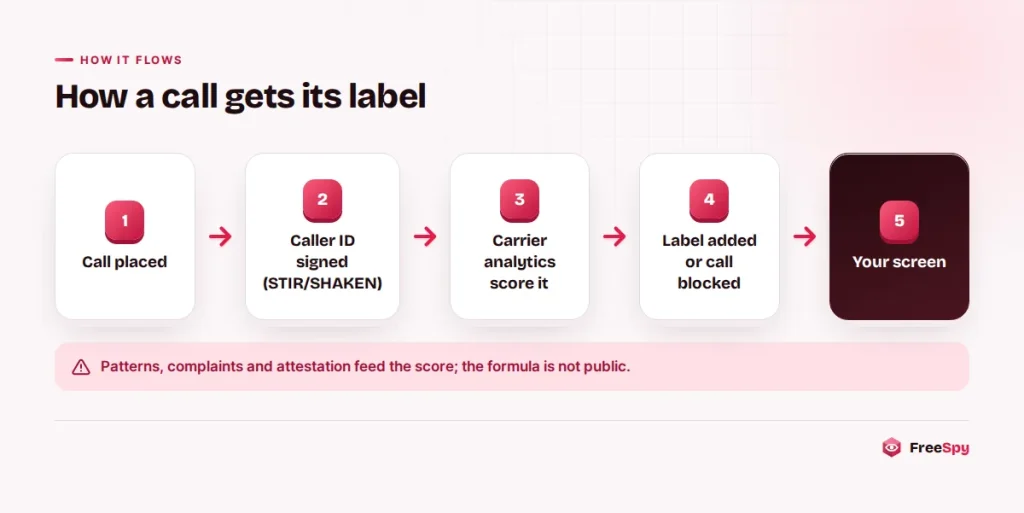
Say a flagged call leaves this voicemail:
“This is the fraud prevention team at your bank. We’ve placed a hold on your card. Call us back at (312) 555-0199 immediately.”
Ignore the callback number. If there really is a hold, the bank’s main line will know about it.
Expecting a contractor, a new doctor or a delivery driver? Ask which number they will call from and save it to your contacts. Many filters treat saved contacts differently, and you will see a name instead of a warning.
If you answer and a recording starts, say nothing and hang up. If a live voice opens with “Can you hear me?”, hang up without answering.
When the label is wrong
A business you deal with keeps getting flagged
Android’s Phone app has a “Not spam” option in call history that reports the mistake. Saving the number to your contacts helps on most phones. It is also worth telling the business, because many organizations have no idea their outbound number is flagged, and they can ask carriers and analytics firms to review it.
Your own calls show up as spam
If friends say your calls arrive marked as spam, your number may have been borrowed by robocallers, or it may be a recycled number with a bad past. Start with your carrier. If people mention calls you never made, the steps for a number being used by someone else apply. Lookup sites, including this one, also let you ask for reports about your number to be hidden once you verify that it’s yours.
A score that shows its reasoning
A carrier label gives you one word and no explanation. FreeSpy goes the other way. Each number page gives a score from 0 to 100 and a verdict: Likely safe (0 to 24), Use caution (25 to 49), Suspicious (50 to 74) or Likely scam (75 to 100). When there are no signals at all, it says “No reports yet” instead of guessing.
The points behind each score are listed one by one: community reports, with older ones counting for less; how severe those reports were; any sudden spike; FTC complaint volume; Caribbean or premium-rate number types; line type; and whether the number is even valid under NANP rules. Put that next to your carrier’s one-word label and make your own call.
If a flagged call did turn out to be a scam, a short report on the number page helps the next person who looks it up.
Quick answers
Can the caller see that my phone flagged them?
No. The warning is added on your side. The caller only knows whether you answered, declined or let it ring out.
Why did one number get a warning on my phone and none on my partner’s?
You may be on different carriers, use different phones, or have different filter settings. Each carrier and app has its own analytics and its own thresholds.
Is a call marked “Verified” safe?
Not necessarily. A verified mark means the carrier confirmed the caller may use that number. A telemarketer calling from its own real number can be verified and still be unwanted.
Sources
- T-Mobile: Scam Shield
- Verizon: Call Filter FAQs
- AT&T: Introducing ActiveArmor
- Google: Use caller ID & spam protection
- Apple: Manage unknown callers on iPhone
- FCC: Building on the promise of call blocking
- CRTC: Caller ID spoofing